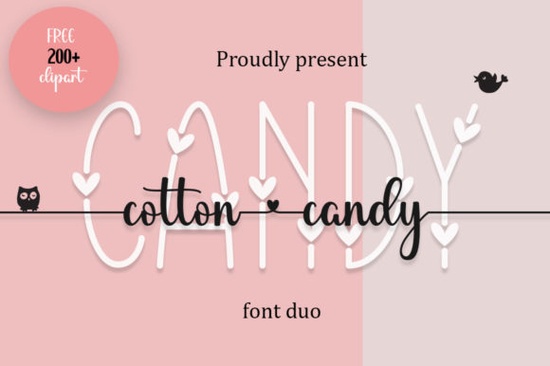
If you're looking for a decorative font that feels both elegant and light-hearted like a handwritten note on a vintage postcard or a sweet treat spun from sugar you’ll probably love Cotton Candy Font. It’s a duo font: one part delicate decorative caps, the other a soft, flowing handwritten style. Together, they give you flexibility without sacrificing charm. Whether you’re designing greeting cards, printable wall art, baby shower invites, or even small-batch product labels, this font adds just the right amount of whimsy and refinement.
What makes Cotton Candy Font different from other decorative fonts?
Unlike many script fonts that lean heavily into formality or go too far in the opposite direction with exaggerated bounce and flair Cotton Candy Font strikes a gentle balance. Its swashes are dainty, not dramatic. Its letterforms feel intentional but never stiff. And because it’s PUA encoded, you don’t need design software wizardry to access alternate glyphs or swash versions. Just install it, open your program (like Canva, Adobe Illustrator, or even Cricut Design Space), and use the glyph panel or type shortcuts to bring out the best details.
This makes it especially handy if you’re new to working with OpenType features or if you simply want reliable results without digging through layers of settings. You’ll find swashes on capital letters like “A,” “H,” and “T,” plus thoughtful lowercase connections that keep your text flowing naturally. It’s the kind of font that looks hand-drawn, but works smoothly in digital workflows.
Who uses Cotton Candy Font and how?
Small business owners who sell printable planners or custom stationery often reach for Cotton Candy Font when they want their products to feel personal and polished at once. Crafters making vinyl decals or embroidery patterns appreciate how clearly its shapes translate across materials even at smaller sizes. Print-on-demand sellers sometimes pair it with minimalist layouts for mugs, tote bags, or nursery prints, where a little elegance goes a long way.
It also fits beautifully alongside other curated fonts. For example, if you’re building a monogram set, you might combine it with something like Monogram Love Curly Font for contrast and cohesion. Or try layering it over a clean sans-serif for modern wedding signage something we’ve seen work well with Mama Flowers Font in floral-themed designs.
When does Cotton Candy Font shine most?
Think spring launches, baby announcements, bridal showers, or summer markets. Its tone leans gentle and joyful not loud or flashy so it suits moments meant to feel intimate and heartfelt. We’ve seen crafters use it successfully for:
- Hand-lettered quote prints (“You’re my favorite hello”)
- Custom tea towel or apron designs
- Digital stickers for planners and journals
- Labels for handmade soaps or candles
- Invitations where you want warmth without formality
It’s less ideal for dense body text or technical documents but that’s not its purpose. It’s a display font, designed to draw attention and set mood. If you’re after something more versatile for longer passages, consider pairing it with a friendly serif or rounded sans-serif as a supporting typeface.
How does it compare to similar fonts on Creative Fabrica?
Compared to Summer Beach Font, which has bolder curves and seaside energy, Cotton Candy Font is quieter and more refined. While both are decorative and playful, Cotton Candy leans toward delicate romance; Summer Beach leans toward carefree fun. Neither is “better” they just serve different vibes and seasons.
You’ll also notice differences in spacing and weight consistency. Cotton Candy Font has tighter kerning options built in, which helps avoid awkward gaps between letters a common pain point with script fonts. That means less manual tweaking and faster turnaround on client projects or shop listings.
For reference, you can explore the full collection of Cotton Candy Font on Creative Fabrica, including licensing details and preview samples.
A quick checklist before you download
- ✅ Confirm your software supports OpenType features (most modern design tools do)
- ✅ Check the license personal use is included, but commercial use requires the standard license
- ✅ Try typing a short phrase first to test swash behavior (e.g., “Hello Sunshine”) before finalizing a layout
- ✅ Pair it thoughtfully avoid stacking too many decorative fonts together
- ✅ Save a version of your file with outlined text if sending to a printer or third-party production service
If you’ve used Cotton Candy Font in a project recently, try swapping in one of the related fonts above for a fresh variation sometimes a subtle shift in texture or rhythm is all you need to refresh your creative routine.
Explore Design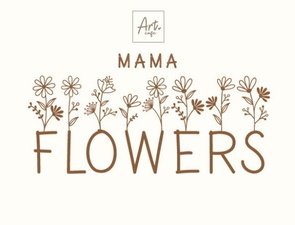 Mama Flowers Font: Creative Design & Project Ideas
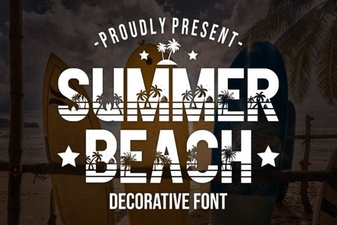 Chill Beach Font Designs for Summer Projects
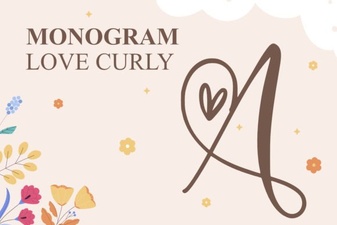 Craft with Monogram Love's Curly Font Style
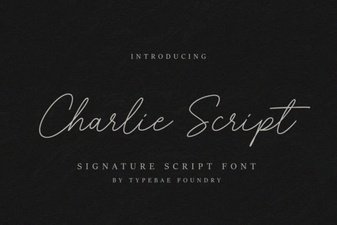 Charlie Script Font for Design & Creative Projects
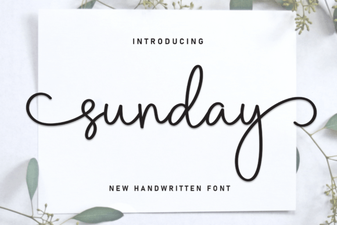 Choosing a Sunday Font for Your Creative Projects
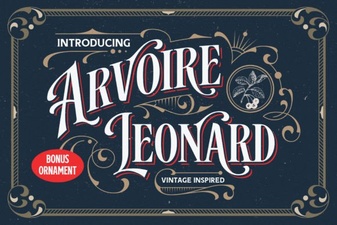 Arvoire Leonard Font: Modern Elegance for Your Design