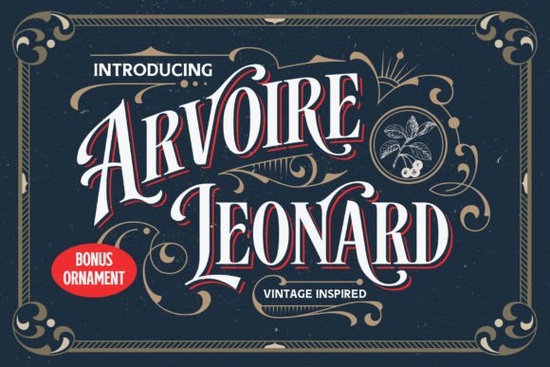
If you're looking for a display font that bridges old-world charm with clean, modern usability, the Arvoire Leonard Font fits naturally into your design toolkit. It’s not just another retro typeface it’s a thoughtful reinterpretation of 19th-century lettering, drawn from real historical sources like vintage signage, shop badges, and printed labels. That means it carries authenticity without sacrificing legibility or versatility.
What kind of projects does Arvoire Leonard work well for?
This is an all-caps display font, so it shines where impact matters most: posters, product labels, t-shirt prints, book covers, café menus, and small-batch merchandise. Because it comes in both Regular and Shadow versions, you can layer them for subtle depth or use the Shadow style on its own for bold, dimensional headlines. Think of it as a go-to for branding that feels handmade but polished, like a local bakery’s logo or a craft distillery’s bottle label.
It’s also PUA encoded, which means you get full access to alternate glyphs, ligatures, and stylistic variants directly through your design software no need for complex OpenType panels or workarounds. If you’ve ever struggled to find the right swash or contextual alternate in a vintage-style font, this one simplifies that step.
How does it compare to other vintage-inspired fonts?
Unlike some overly distressed or heavily textured retro fonts, Arvoire Leonard keeps things crisp and intentional. Its curves are smooth, its spacing balanced, and its weight consistent so it scales well from a tiny tagline on a soap wrapper to a large wall decal. That makes it especially useful for print-on-demand sellers who need reliable results across different products and sizes.
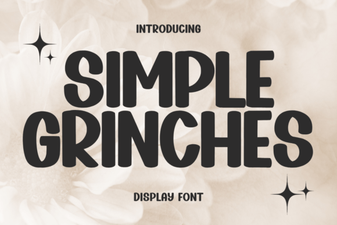
If you enjoy the restrained elegance of retro-vintage display fonts, you’ll appreciate how Arvoire Leonard avoids clichés while still feeling familiar. It’s less ornate than many Victorian-era revivals, yet more detailed than minimalist sans-serifs. For contrast, you might also explore chunky retro fonts when you want heavier presence or Simple Grinches Font if you prefer something playful and hand-drawn.
Where does it fit in your workflow?
Because it’s designed for display use not body text you’ll likely reach for it during the final stages of a project: refining a logo lockup, setting a title on a greeting card, or designing a seasonal banner for your Etsy shop. It pairs well with neutral sans-serifs (like Montserrat or Inter) for supporting text, letting the personality of Arvoire Leonard lead without competing.
You can preview how it looks alongside similar options by browsing our collection of Arvoire Leonard Font display fonts, or see how it stacks up against utility-focused choices like Reminder Font for clear, functional headings.
Is it beginner-friendly?
Yes if you’re comfortable installing and using OTF or TTF files in Canva, Adobe Illustrator, Affinity Designer, or Cricut Design Space, you’ll be up and running in minutes. No special plugins or font managers needed. The shadow version works especially well in cutting software: just offset the regular layer slightly and weld them together for clean, ready-to-cut outlines.
One thing to keep in mind: because it’s all-caps, avoid using it for long paragraphs or forms requiring lowercase input. It’s built for emphasis, not endurance.
For deeper historical context, you can read about 19th-century typographic trends on Arvoire Leonard Font’s official Creative Fabrica page, where users share real project examples and pairing tips.
A quick checklist before you download
- ✅ You need a display font not body text for a logo, poster, or product label
- ✅ You want vintage character without excessive ornamentation or texture
- ✅ You’re working in software that supports PUA-encoded fonts (most modern design tools do)
- ✅ You’d like two complementary styles (Regular + Shadow) in one package
- ✅ You’re okay with all-caps only no lowercase or numerals included in the base set
If those match your needs, Arvoire Leonard is worth trying alongside other trusted options in the retro-vintage font category. Start with a simple mockup maybe a mock t-shirt or a digital flyer and see how the rhythm and spacing feel at your intended size. Small tweaks in tracking or line height often make the biggest difference.
Get Started Retro Fonts for Modern Design Projects
 Craft Your Style with Custom Monogram Fonts
 Simple Grinches Fonts for Creative Holiday Designs
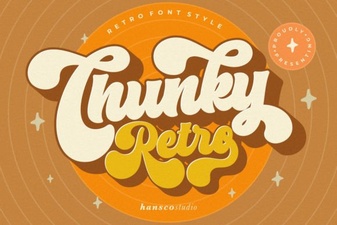 Chunky Retro Fonts for Impactful Designs
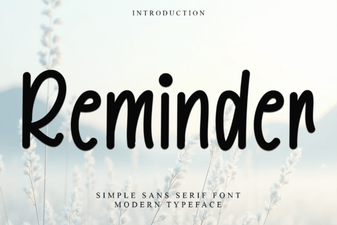 Craft Clear Reminders with Creative Typography
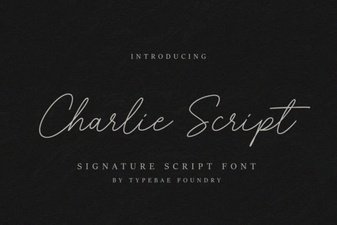 Charlie Script Font for Design & Creative Projects